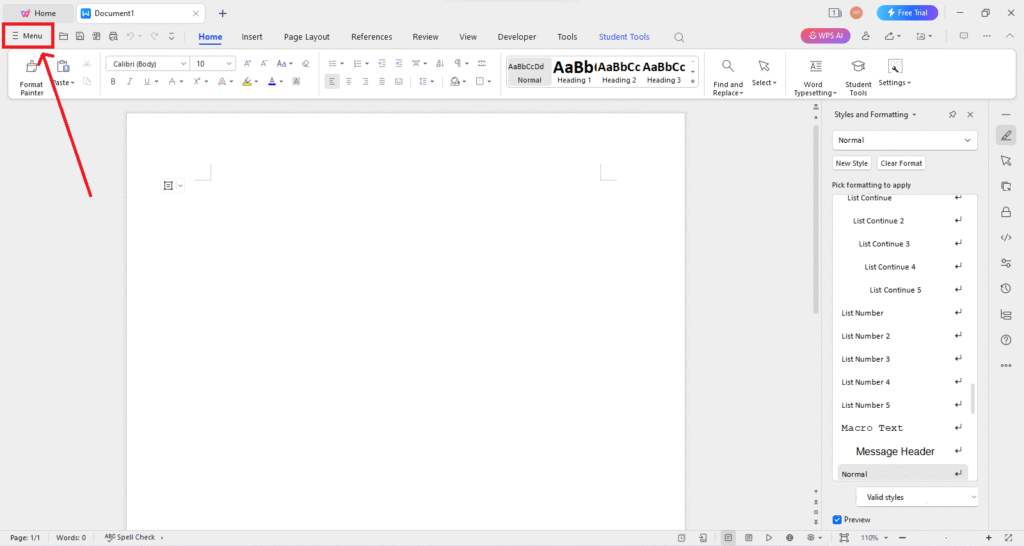

In the modern workplace, document compatibility plays a pivotal role in maintaining efficiency and productivity. With a variety of file formats used across different software and platforms, seamless interaction between documents has become a necessity. WPS, as a comprehensive office suite, addresses this challenge by offering tools and features that ensure smooth compatibility across multiple formats. Understanding how WPS enhances document compatibility is crucial for professionals, students, and businesses looking to streamline their workflows.
Understanding Document Compatibility
Document compatibility refers to the ability of software to open, edit, and save files in various formats without losing content, formatting, or functionality. Inconsistent compatibility often leads to corrupted files, misaligned layouts, and broken formulas, which can disrupt workflow and reduce productivity. With users frequently sharing documents across platforms such as Windows, macOS, and mobile devices, having a solution that ensures cross-platform consistency is invaluable.
WPS addresses these challenges by supporting multiple file types, including DOC, DOCX, XLS, XLSX, PPT, PPTX, PDF, and more. This wide-ranging support ensures that users can work seamlessly with colleagues, clients, or collaborators, regardless of the software they use. Unlike traditional office applications that may encounter issues when opening files from different programs, WPS maintains the integrity of documents, making it a reliable choice for professional environments.
Advanced File Format Support
One of the key ways WPS enhances document compatibility is through its extensive file format support. WPS Office enables users to open and save files in Microsoft Office formats without losing formatting. This is particularly important in business contexts where Microsoft Office remains the industry standard. For example, a DOCX file created in Microsoft Word can be opened in WPS Writer with all fonts, tables, and images intact, and vice versa.
In addition to standard office formats, WPS also supports PDF files, which are widely used for sharing read-only documents. WPS allows users to convert PDFs to editable formats like DOC or XLS, enabling easy modifications without the need for additional software. This feature not only increases compatibility but also reduces the reliance on multiple tools, streamlining the document management process.
Cross-Platform Consistency
Another significant advantage of WPS is its ability to maintain consistency across different platforms. Users can access WPS Office on Windows, macOS, Linux, Android, and iOS devices, ensuring that documents appear and function the same way regardless of the device used. This cross-platform capability is especially beneficial for remote teams and mobile professionals who need to edit and share documents on the go.
Maintaining visual consistency is critical in presentations and reports, where formatting errors can affect the overall impression. WPS ensures that elements such as tables, charts, images, and fonts remain consistent across platforms. This attention to detail in document rendering enhances both productivity and professional presentation.
Cloud Integration for Seamless Collaboration
WPS further enhances document compatibility through its cloud integration features. Users can save documents to WPS Cloud or other cloud services, making it easier to share files with collaborators using different devices or software. Cloud storage also ensures that the latest version of a document is always accessible, reducing the risk of version conflicts that can arise when multiple people work on the same file.
By enabling real-time collaboration and cloud-based access, WPS ensures that documents remain compatible and functional throughout the editing and sharing process. This is particularly useful for businesses managing large projects with multiple team members working remotely or across different time zones.
Compatibility Features in WPS Writer
WPS Writer, the word processing component of WPS Office, offers several features specifically designed to enhance compatibility. For instance, the software allows users to check document compatibility before saving files in different formats. This feature helps identify elements that might not translate well when opening the document in another program, allowing users to make necessary adjustments in advance.
WPS Writer also includes a range of export options, including PDF and HTML, ensuring that documents can be shared and viewed across platforms without compromising structure or appearance. These tools not only improve compatibility but also save time by reducing the need for manual formatting adjustments.
Enhancing Spreadsheet Compatibility
Spreadsheets often face compatibility issues due to complex formulas, macros, and formatting. WPS Spreadsheets addresses these challenges by providing robust support for Excel formats such as XLS and XLSX. Users can open complex spreadsheets without losing formulas, conditional formatting, or charts, ensuring that data integrity is maintained.
WPS also allows for easy conversion between different spreadsheet formats, including CSV and TXT, which are often required for importing and exporting data between systems. This flexibility is particularly valuable for data analysts, accountants, and other professionals who rely on precise calculations and consistent data representation.
Presentation Compatibility and Multimedia Support
WPS Presentation enhances compatibility by supporting PPT and PPTX files, allowing users to create, edit, and present slideshows without worrying about formatting errors. Multimedia elements such as images, videos, and animations are preserved across platforms, ensuring that presentations appear professional regardless of the software used to open them.
Additionally, WPS provides export options that enable users to share presentations in PDF or video formats, further increasing accessibility and compatibility. This feature is ideal for educational purposes, business meetings, and remote presentations, where ensuring that the audience sees the content as intended is critical.
Security and Compatibility
While document compatibility is essential, security is equally important. WPS integrates encryption and password protection features that work across different formats. Users can secure sensitive documents without worrying about compatibility issues, ensuring that both the content and formatting remain intact while maintaining confidentiality.
Customization and Add-ons
WPS Office also supports various templates, plug-ins, and add-ons that enhance compatibility with specialized formats or workflows. Users can customize their experience to meet the needs of specific industries, such as legal, educational, or financial sectors, ensuring that documents can be shared and utilized efficiently without format loss.
Cost-Effective Solution for Businesses
Adopting WPS as a primary office suite can also be a cost-effective strategy for businesses seeking high compatibility without the expense of multiple software licenses. WPS offers a powerful alternative to traditional office software, providing robust compatibility features at a fraction of the cost. This accessibility allows small and medium-sized enterprises to maintain professional standards while optimizing budget allocation.
Conclusion
In a world where documents are constantly shared across platforms and devices, compatibility is more than a convenience—it is a necessity. WPS enhances document compatibility by supporting a wide range of file formats, ensuring cross-platform consistency, integrating cloud-based collaboration, and maintaining data integrity across word processing, spreadsheets, and presentations.
By leveraging WPS, individuals and businesses can reduce formatting errors, streamline workflows, and collaborate effectively without worrying about software limitations. Its combination of advanced compatibility features, security measures, and cost efficiency makes WPS an indispensable tool for modern professionals seeking seamless document management. WPS not only ensures that documents retain their intended format but also empowers users to work smarter, faster, and more confidently in a digitally connected world.
The ability of WPS to handle diverse file formats, maintain cross-platform fidelity, and integrate cloud-based workflows underscores its role as a reliable, flexible, and user-friendly office suite. Whether for personal productivity, academic purposes, or enterprise-level projects, WPS enhances document compatibility and contributes to a more efficient and professional digital workspace.
This comprehensive approach to document management proves that WPS is more than just an alternative to traditional office software—it is a tool designed to simplify complexity and ensure that every document, spreadsheet, and presentation functions exactly as intended, regardless of the device or platform used.