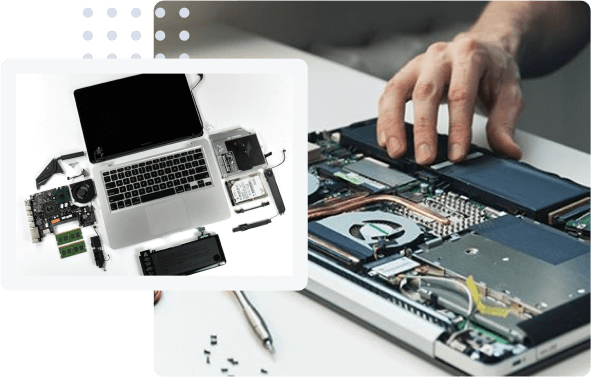

Apple MacBooks are renowned for their sleek design, powerful performance, and long-lasting durability. Whether you rely on your MacBook for graphic design, software development, video editing, or everyday professional tasks, these devices are a significant investment. However, even the most advanced machines are not entirely immune to wear and tear, accidental damage, or hardware glitches over time. When your device stops working as expected, finding the top macbook repair and services becomes your highest priority to restore productivity and protect your investment.
Understanding the Value of Professional MacBook Care
MacBooks feature highly integrated hardware architectures, meaning that components like the logic board, retina display, and soldered memory are packed tightly together. This intricate design makes modern laptops remarkably thin and lightweight, but it also makes them exceptionally difficult to service without specialized tools and expert training.
Attempting to fix a complex hardware issue on your own or taking your device to an inexperienced neighborhood shop can often lead to further damage. Investing time in researching and choosing the top macbook repair and services ensures that your device is handled by trained professionals who understand the nuances of Apple’s proprietary engineering.
Common MacBook Issues That Require Professional Repair
Knowing when to seek professional help can save you from catastrophic data loss and costly replacements. Several common problems frequently plague MacBooks across various generations.
Battery Degradation and Power Issues
Over time, lithium-ion batteries lose their ability to hold a charge efficiently. If your MacBook shuts down unexpectedly, drains in a matter of minutes, or displays a service recommendation in the battery settings, it is time for a replacement. Additionally, power IC failures or damaged charging ports can prevent the laptop from charging altogether, requiring sophisticated micro-soldering expertise.
Screen and Display Malfunctions
Accidental drops or pressure applied to the closed lid can result in cracked glass, bleeding liquid crystal displays, or dead pixels. Because modern MacBook displays are laminated assemblies containing delicate sensors and backlight cables, replacing them requires precision to avoid damaging the FaceTime camera or True Tone functionality.
Keyboard and Trackpad Failures
Keyboard issues, such as sticky keys, unresponsive typing, or erratic cursor movements, can severely disrupt your workflow. Whether your device uses a butterfly mechanism or a more recent magic keyboard, professional technicians can diagnose whether the issue stems from debris accumulation, liquid damage, or a failing ribbon cable.
Why You Should Avoid DIY Repairs
With countless tutorial videos available online, do-it-yourself electronics repair has gained popularity. However, attempting to repair a MacBook without professional guidance carries immense risks.
Apple devices utilize proprietary screws, delicate flex cables, and strong adhesives that require specialized opening tools and heating pads to navigate safely. One slip of a screwdriver can puncture the battery, posing a severe fire hazard, or sever a microscopic data trace on the logic board, rendering the computer completely unrepairable. Entrusting your laptop to the top macbook repair and services guarantees safety, precision, and peace of mind.
What to Look for in the Top MacBook Repair and Services
Not all repair providers are created equal. When searching for a reliable service provider, several key factors can help you distinguish average shops from industry leaders.
Certified Technicians and Genuine Parts
The best repair centers employ certified technicians who stay updated on Apple’s evolving hardware standards. Furthermore, reputable shops use high-quality or genuine replacement parts. Using substandard components can lead to compatibility issues, poor battery life, or screen discoloration shortly after the repair is completed.
Transparent Pricing and Warranty Protection
Trust is essential when handing over your primary workstation. The top macbook repair and services providers always offer transparent diagnostics and upfront cost estimates before initiating any work. Additionally, they stand behind their craftsmanship by providing a solid warranty on both parts and labor, ensuring you are protected if an issue recurs.
Turnaround Time and Customer Support
Downtime can be disastrous for professionals and students alike. Leading repair services pride themselves on efficient turnaround times, often offering same-day diagnostics or quick part replacements. Exceptional customer support, clear communication throughout the repair process, and helpful maintenance advice further set elite repair shops apart.
The Diagnostic Process: What Happens When You Drop Off Your Device
When you bring your MacBook to a premier repair facility, the process begins with a comprehensive diagnostic evaluation. Technicians do not simply guess what is wrong based on surface symptoms. Instead, they utilize specialized software and testing hardware to isolate the root cause of the malfunction.
For instance, if a MacBook fails to turn on, diagnostics will test the power rails, check for liquid residue corrosion on the logic board, and evaluate the health of the storage drive. Once the problem is accurately identified, the service provider contacts you with a clear explanation of the required repairs and the associated costs, allowing you to make an informed decision without feeling pressured.
Tips to Extend Your MacBook Lifespan After Repair
Once your laptop has been restored by the top macbook repair and services, adopting good maintenance habits will help you maximize its operational lifespan.
- Keep Liquids Away: Liquid damage is one of the leading causes of catastrophic logic board failure. Keep beverages away from your workspace.
- Manage Battery Health: Avoid exposing your MacBook to extreme temperatures, and use optimized battery charging features to reduce wear over time.
- Clean Regularly: Use a microfiber cloth to wipe the screen and gently clean the keyboard to prevent debris buildup.
- Update Software: Keep your macOS and applications updated to ensure optimal performance, security, and bug fixes.
Conclusion
Your MacBook is a powerful tool that deserves the highest standard of care. When technical challenges arise, settling for subpar fixes is simply not worth the risk. By partnering with the top macbook repair and services, you ensure that your device receives expert diagnostics, quality components, and meticulous craftsmanship. Prioritize professional maintenance today, and keep your trusted Apple device running smoothly for years to come.