
Introduction
Modern workspaces demand flexibility, efficiency, and seamless connectivity. Whether you work from home, manage a busy office, or enjoy gaming and content creation, connecting multiple devices can quickly become complicated. A 15 in 1 docking station provides an all-in-one solution that eliminates cable clutter while expanding the capabilities of your laptop or desktop.
With a single connection, users can access multiple USB ports, HDMI outputs, Ethernet, SD card readers, audio ports, and power delivery features. This makes a 15 in 1 docking station an ideal accessory for professionals, students, remote workers, and creative users who rely on multiple peripherals every day.
In this article, we’ll explore the top benefits of choosing a 15 in 1 docking station for both home and office environments and explain why it’s becoming an essential productivity tool.
What Is a 15 in 1 Docking Station?
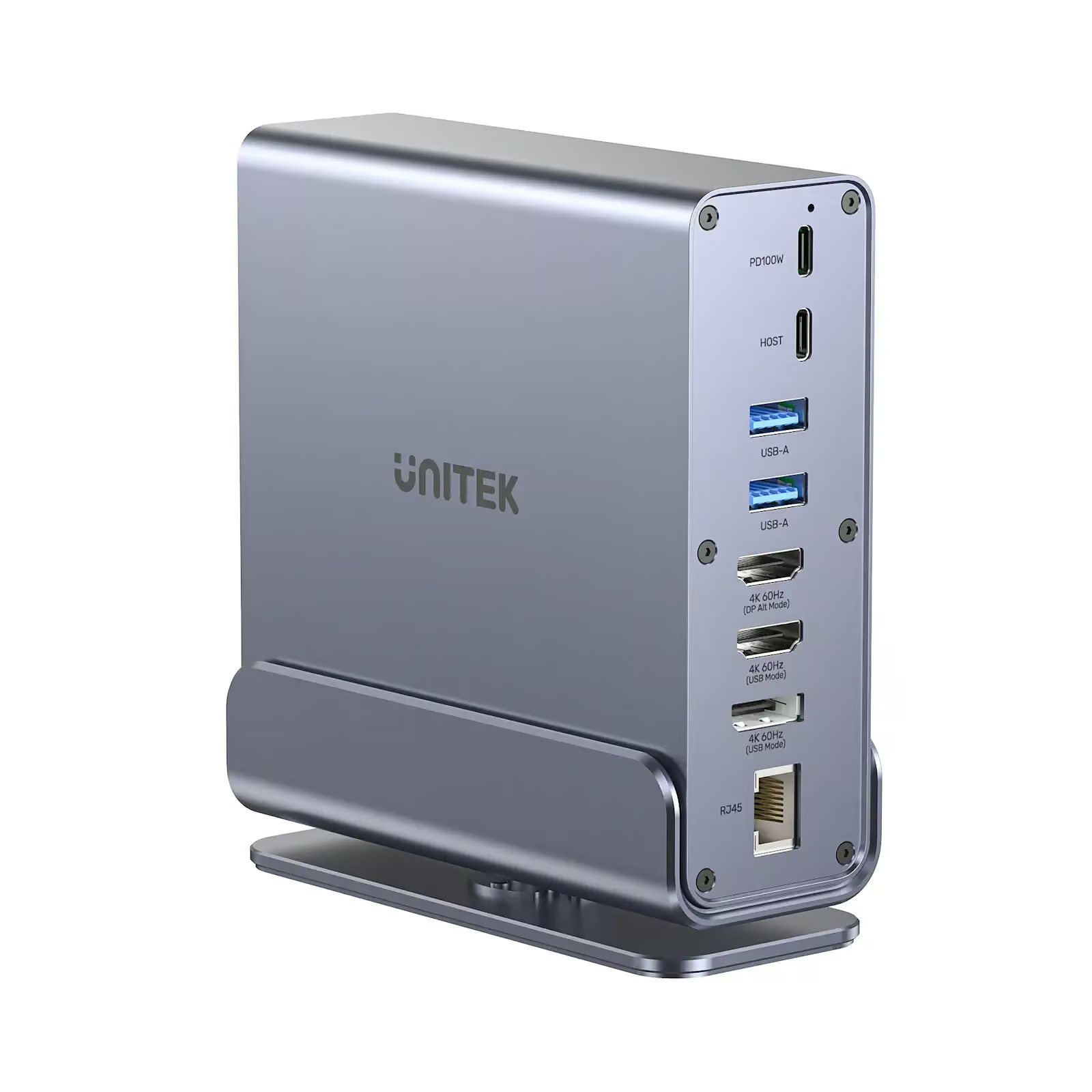
A 15 in 1 docking station is a multifunctional hub designed to expand the connectivity options of laptops, tablets, and compatible devices. Instead of plugging numerous accessories directly into your computer, you connect everything to the docking station and use a single cable to link it with your device.
Most models include features such as:
Multiple USB Ports
Several USB-A and USB-C ports allow you to connect keyboards, mice, flash drives, printers, and external storage devices simultaneously.
HDMI and Display Outputs
Support for dual or triple monitor setups improves multitasking and enhances productivity.
Ethernet Port
A wired internet connection provides faster and more stable networking compared to Wi-Fi.
SD and MicroSD Card Readers
These ports are especially valuable for photographers, videographers, and designers.
Audio Connections
Dedicated microphone and headphone jacks simplify multimedia use.
USB-C Power Delivery
Many docking stations can charge compatible laptops while transferring data and video through the same cable.
Simplifies Workspace Organization
One of the biggest advantages of using a 15 in 1 docking station is reducing cable clutter.
Without a docking station, users often connect multiple adapters and cables individually. This creates a messy desk that’s difficult to organize and maintain.
By connecting all peripherals through a single hub, your workspace becomes:
- Cleaner
- More professional
- Easier to manage
- More comfortable to work in
A well-organized desk also improves focus and productivity throughout the day.
Enhances Productivity
Time is valuable in both home and office settings. Constantly plugging and unplugging devices wastes valuable minutes every day.
A 15 in 1 docking station allows users to connect all their devices at once. Simply plug in one cable, and everything becomes instantly available.
This convenience helps users:
- Start work faster
- Switch between locations easily
- Reduce setup time
- Improve workflow efficiency
Professionals handling multiple projects particularly benefit from this streamlined setup.
Supports Multiple Monitors
Dual and triple monitor configurations have become increasingly common in modern work environments.
Many 15 in 1 docking station models support multiple high-resolution displays, allowing users to:
Improve Multitasking
Work on spreadsheets while attending video meetings and monitoring emails simultaneously.
Increase Productivity
Studies consistently show that multiple monitors help reduce task switching and improve workflow efficiency.
Create Better Workstations
Designers, programmers, editors, and financial professionals often require additional screen space to perform their jobs effectively.
Perfect for Remote Work
Remote work has transformed how professionals use technology.
A 15 in 1 docking station helps recreate a professional office environment at home without requiring expensive desktop computers.
Remote workers can connect:
- Webcam
- External keyboard
- Mouse
- Dual monitors
- Ethernet cable
- Speakers
- External hard drives
Everything stays connected and ready for work with one simple connection.
Ideal for Home Offices
Home offices often have limited desk space, making efficient organization essential.
A 15 in 1 docking station minimizes the need for multiple adapters while maximizing available ports.
This allows users to maintain a clean workspace while supporting all essential devices for daily productivity.
Whether you’re attending virtual meetings, editing documents, or managing online businesses, a docking station keeps everything connected.
Improves Device Compatibility
Modern laptops are becoming thinner and lighter, often sacrificing connectivity options.
Many ultrabooks include only one or two USB-C ports.
A 15 in 1 docking station restores the missing functionality by providing compatibility with a wide variety of accessories, including:
- USB drives
- External SSDs
- Keyboards
- Monitors
- Printers
- Projectors
- Audio equipment
- Cameras
This versatility extends the usefulness of modern laptops without requiring multiple adapters.
Fast Data Transfer Speeds
Large file transfers are common for professionals working with videos, photos, and business documents.
A quality 15 in 1 docking station supports high-speed USB connections that significantly reduce transfer times.
Users can quickly:
- Backup important files
- Move media libraries
- Transfer project folders
- Access external storage
Faster data transfer means less waiting and greater productivity.
Reliable Internet Connection
Wireless internet works well in many situations, but Ethernet still provides the most stable connection.
A 15 in 1 docking station includes a Gigabit Ethernet port that offers:
Stable Video Conferences
Reduce interruptions during online meetings.
Faster Downloads
Large software updates and cloud backups complete more efficiently.
Lower Latency
Gamers and professionals benefit from more responsive network performance.
Reliable internet is especially valuable for remote workers and businesses.
Convenient Charging Solution
Many docking stations support USB-C Power Delivery, allowing users to charge compatible laptops while using connected peripherals.
Instead of connecting a separate charger, one cable handles:
- Power
- Video
- Data
- Audio
This greatly simplifies everyday computer use while reducing cable clutter.
Supports Creative Professionals
Graphic designers, photographers, video editors, and musicians often use numerous external devices.
A 15 in 1 docking station allows creators to connect:
- Multiple monitors
- External SSDs
- SD cards
- Drawing tablets
- Audio interfaces
- Cameras
Everything remains connected for a smooth creative workflow.
This saves time when switching between editing sessions and client projects.
Excellent for Business Environments
Businesses benefit from standardized workstations.
Employees can arrive at their desks, plug in one cable, and immediately gain access to:
- Monitors
- Network
- Keyboard
- Mouse
- External storage
- Printers
A 15 in 1 docking station simplifies IT management while improving employee productivity.
It also reduces wear on laptop ports since users connect only one cable daily.
Future-Proof Investment
Technology continues evolving, but peripheral devices remain essential.
Investing in a quality 15 in 1 docking station ensures compatibility with a wide range of accessories for years to come.
Instead of purchasing multiple adapters as your setup changes, one docking station can support new devices and expanding workspaces.
This makes it a cost-effective long-term investment.
Easy Portability
Despite offering numerous ports, many docking stations remain compact enough to carry between home and office.
Hybrid workers can maintain the same workstation experience regardless of location.
Simply pack the docking station, connect one cable, and continue working without reconnecting every accessory individually.
This flexibility makes modern work much more convenient.
Reduces Desk Clutter
A clutter-free workspace promotes better concentration.
Instead of having several USB hubs, adapters, chargers, and cables scattered across the desk, a 15 in 1 docking station centralizes everything into one organized device.
Cleaner desks are easier to maintain and create a more professional appearance during video meetings.
Saves Money Over Time
Although purchasing a 15 in 1 docking station requires an initial investment, it often replaces numerous individual adapters, hubs, and converters.
Instead of buying separate devices for:
- HDMI
- Ethernet
- USB expansion
- SD card readers
- Audio adapters
Users receive all these functions in one convenient solution.
This provides excellent long-term value while simplifying everyday use.
Conclusion
A 15 in 1 docking station has become one of the most practical accessories for modern computing. Whether you work from home, manage a professional office, create digital content, or simply want a cleaner and more efficient workspace, it offers outstanding convenience and versatility.
From supporting multiple monitors and high-speed data transfers to providing reliable internet connectivity, simplified charging, and improved organization, a 15 in 1 docking station transforms the way users connect and manage their devices. Its ability to replace numerous adapters while enhancing productivity makes it a smart investment for anyone looking to build an efficient, future-ready workstation for both home and office use.